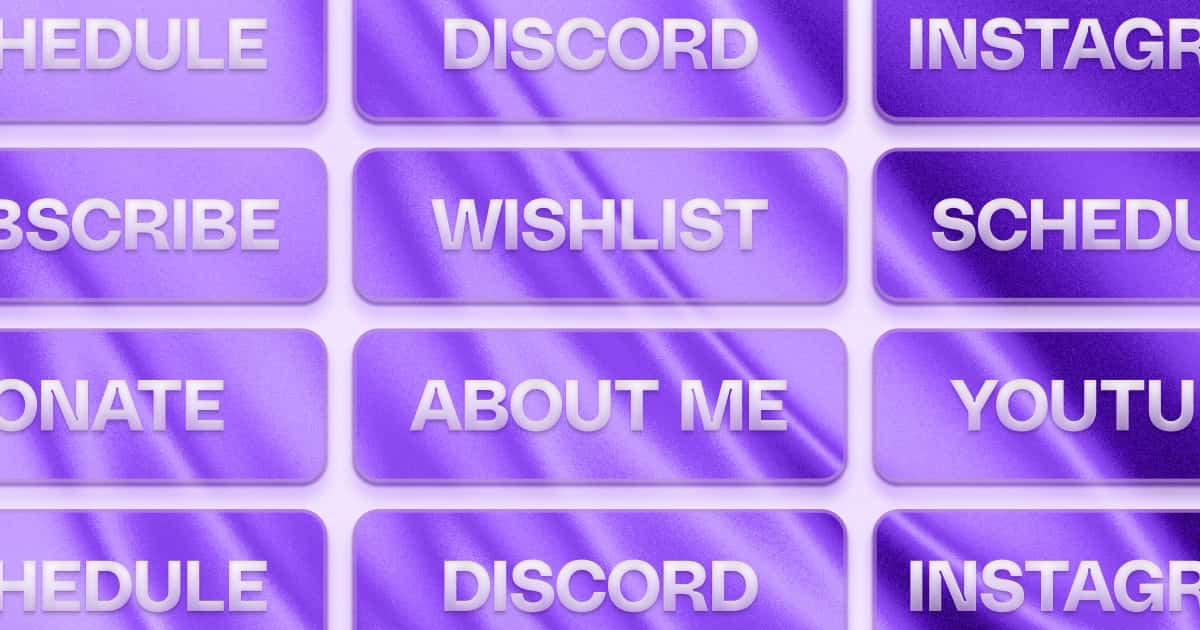
20 Twitch Panel Ideas Worth Keeping
Twitch panels are the strip of clickable images below the player on your profile. They are real estate for the things you want viewers to know or act on. Most channels run either three stale panels from setup day, or fifteen unfocused ones that no one reads. This is the curated list: 20 panel ideas that are actually useful, ordered by how many channels need them.
For the full guide to panel sizing, dimensions, design rules, and what to link panels to, see the Twitch stream panels guide. To actually produce the images, the free Twitch Panels editor in Pulz handles sizing and templates for you, with 160+ template sets in 14 styles. This post is the idea menu - what to make, not how to make it. The dimensions quick answer: 320px wide, 100-200px tall for most panels.
Tier 1: useful for most channels
If you only do 4-5 panels, start here.
1. About Me
First panel, expected to be there. 2-3 sentences: who you are, what you stream, where you're from.
2. Schedule
Static image of your weekly streaming hours. Even if you also have the Twitch native schedule, the panel image is what most viewers see first. Link it to a schedule page that stays current - like pulz.bio/yourname/s, which follows your Twitch schedule and lets viewers subscribe in their calendar - so a changed week never needs a new image.
3. Socials / Link in Bio
One 'Find me elsewhere' panel that links to your bio link page beats six separate platform-icon panels. Simpler, cleaner, and significantly easier to maintain - you update the bio link page when platforms change, not the panel image. Make the panel actually clickable with a link behind it; many viewers will not copy-paste a handle from a static image.
4. Donate / Support
Streamlabs, StreamElements, Ko-fi, or your tipping tool of choice. High clickthrough for the audience inclined to support; low for everyone else - which is fine.
5. Setup / PC Specs
Surprisingly high-engagement. Viewers genuinely care what mouse, keyboard, or camera you use, especially in FPS and sim categories. A natural place for affiliate links - and if the list keeps growing, a Gear block on your Pulz page holds the full setup with links, so the panel only needs to point there.
Tier 2: useful for the right channels
Not universal, but high-value when relevant.
6. Chat Rules
Important for moderation culture but rarely actually read. Worth having for tone-setting and pinning in chat during incidents - don't expect heavy click engagement.
7. Discord
Big channels: usually high-engagement. Small channels: lower engagement because the Discord itself is small. Add when you have an active community.
8. Subscribe Perks
Lists your emotes, sub-only chat, and ad-free viewing. Useful for promoting subs without nagging verbally mid-stream.
9. Merch
If you actively sell merch, yes. If it's two t-shirts on a Streamlabs store you haven't touched in a year, skip.
10. Partners / Sponsors
Logos of brands you work with. Builds credibility for new visitors. Skip if the section would be empty.
11. Mod Team
Names or handles of your mods, optionally with links. Recognizes them publicly, useful in larger communities.
12. YouTube Channel
If you upload edited content to YouTube. Otherwise it's covered by your Socials panel.
Tier 3: niche or seasonal
Use when relevant; remove when not.
13. Charity Stream
Add for the duration of a charity event. Remove after. Time-sensitive panels that stick around become clutter.
14. Tournament Announcement
Promote a competitive event you're playing in or organizing. Add it, run it, take it down.
15. Game-Specific Friend Codes
Pokemon, Animal Crossing, Genshin Impact, Monster Hunter - if you stream a game with shared codes or friend IDs, this actually gets used.
16. Streaming Setup Tutorial
Link to a YouTube video or blog post explaining your setup. Adds depth for technically curious viewers.
17. Media Kit / Business Inquiries
Once you're doing brand deals, this makes inbound easier. Link it to your media kit - a Pulz media kit fills in your stream stats itself and ends in a business inquiry form, so your email never has to appear on the panel.
18. FAQ
If the same questions appear in chat every single stream, an FAQ panel can deflect them. Use sparingly - too much text in panels gets skipped.
19. Music / Stream Playlist
A Spotify or YouTube playlist of what you play on stream. Niche but genuinely appreciated by viewers who ask. A music link on your Pulz page keeps the cover art, if you'd rather link one page than another panel.
20. Cosplay / Fan Art Submissions
For larger channels with a creative community. A form or email address for submissions encourages deeper engagement.
Panels you can almost always skip
- Separate panels for every social platform. One 'Socials' panel pointing to a link-in-bio page beats 6 platform icons.
- Old tournament or event panels. If it ended months ago, it's clutter.
- 'Coming soon' panels. Don't promise things you might not ship.
- Three-paragraph personal story panels. Save that for the About tab. Panels are for short, scannable information.
Quick design notes
- 320px wide, mostly 100-200px tall. Design at 2x and keep each file small; Twitch scales it down.
- Readable at a glance. If you squint at your own panel at 100% zoom, viewers will too.
- Consistent style across all panels. Same font, same accent color, same icon style. Mismatched panels read as unintentional. The easiest way to get this is making the whole set in one tool with one template - a Pulz template restyles every panel in the set at once.
FAQ
How many panels should I have?
5-8 is the sweet spot. Below 5 feels sparse; above 10 starts feeling cluttered. Quality over quantity.
Should I include affiliate links in panels?
Yes, in your Setup panel. Disclose somewhere visible - a small line of text below the panel - to comply with FTC guidelines and Twitch's terms.
What tool should I use to make these panels?
If you want the fast path, Twitch Panels in Pulz starts every design at 320px and keeps the whole set on one template. If you want full freeform control, Canva or Figma work - set the canvas to 640px wide and export the 2x PNG.
Where do I put the link behind a panel?
On Twitch: switch on Edit Panels on your About section, open the panel and paste the URL into "Image Links To". The link is not part of the image, so no panel tool can set it for you.